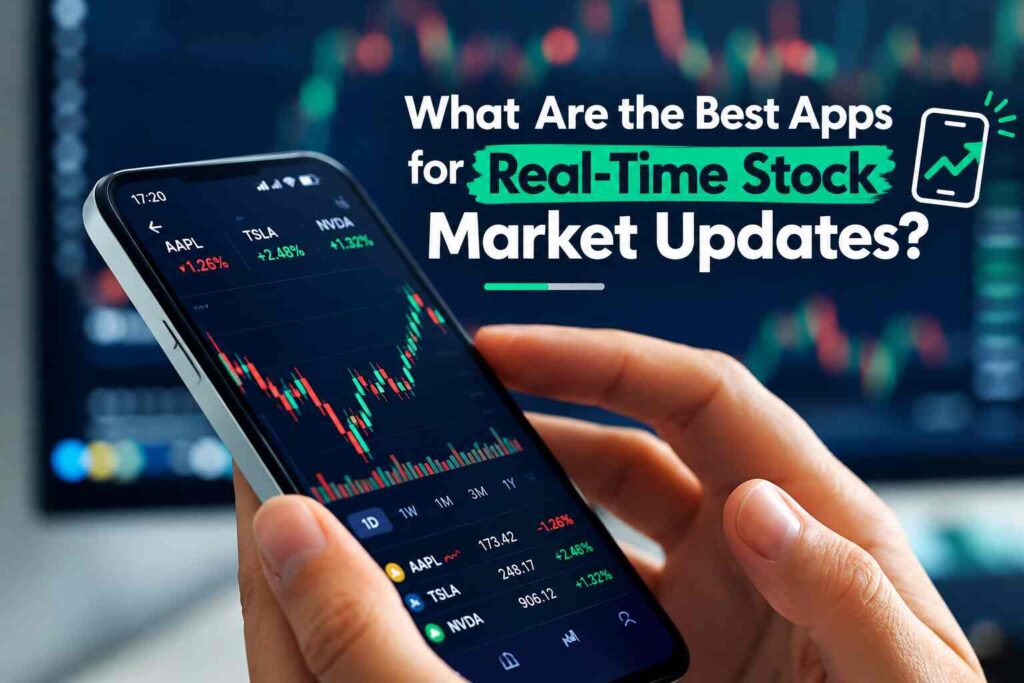
If you want to follow stock prices as the market moves, Yahoo Finance, TradingView, and Investing.com are among the most useful choices for general market monitoring. Trading-focused apps such as Webull, thinkorswim, and Fidelity can be more useful if you also want advanced charts, trading tools, alerts, or a brokerage account.
The important catch is that “real-time” does not mean exactly the same thing across every app, stock, or exchange. Yahoo Finance says it provides real-time streaming quotes for many exchanges, but not all markets are available in real time. TradingView similarly explains that real-time access depends on the exchange and data package.
So the best stock market app depends on what you actually need. A long-term investor may mainly want a clean watchlist and reliable news. A technical trader may care more about charting and alerts. Someone trading actively may need exchange-specific real-time quotes and brokerage data.
What Are the Best Apps for Real-Time Stock Market Updates?
There is no single best app for every investor.
Yahoo Finance is a strong general-purpose choice for stock quotes, watchlists, financial news, portfolio tracking and alerts. TradingView stands out for charting, technical analysis and customizable alerts, although real-time exchange data can require an additional subscription. Investing.com is particularly useful for people who follow stocks alongside currencies, commodities, indices and economic events.
For active traders, Webull, thinkorswim and Fidelity provide a closer connection between market monitoring and brokerage functionality. Webull, for example, advertises real-time quotes, charts, custom alerts and market news in its mobile platform.
The key is to check which exchange supplies the quote and whether that specific data feed is real-time before assuming an app is showing a live market price.
Best Stock Market Apps for Real-Time Updates at a Glance
| App | Best for | Real-time data | Alerts | Charts | News | Free option | Brokerage required? |
|---|---|---|---|---|---|---|---|
| Yahoo Finance | General market tracking | Available for many exchanges, but varies by market | Yes | Yes | Strong | Yes | No |
| TradingView | Charts and technical analysis | Depends on exchange and data package | Extensive | Excellent | Yes | Yes | No |
| Investing.com | Global market monitoring | Real-time availability varies by instrument and market | Yes | Yes | Strong | Yes | No |
| Webull | Active trading and market monitoring | Real-time quotes available in its platform, subject to applicable data arrangements | Yes | Advanced | Yes | Yes | Brokerage features require an account |
| thinkorswim | Advanced trading | Real-time and streaming market information | Yes | Advanced | Yes | Platform tied to Schwab | Yes for trading |
| Fidelity | Investing and brokerage users | Real-time quotes available through its platforms | Yes | Yes | Yes | App is free | Brokerage account for brokerage functions |
| Apple Stocks | Simple tracking | Quote timing varies by security/data source | Limited | Basic | Yes | Yes | No |
| Google Finance | Simple market tracking | Data timing varies | Limited | Basic | Limited | Yes | No |
The table is a starting point rather than a promise that every stock on a platform will have real-time data. Yahoo Finance, for example, publishes an exchange-by-exchange list showing different data providers and delays. Its current documentation shows U.S. Nasdaq Stock Exchange data as real-time while some other markets have delays.
1. Yahoo Finance: Best for General Market Monitoring
Yahoo Finance is one of the most practical options for investors who want a mixture of stock prices, watchlists, financial news, portfolio tracking and alerts without necessarily opening a brokerage account.
The Yahoo Finance mobile app supports watchlists, real-time stock information, personalized news, price alerts, breaking-news notifications and earnings alerts. It also covers assets beyond individual stocks, including currencies, bonds, commodities, world indices and futures.
Yahoo’s own documentation is particularly important when discussing real-time data. The company says real-time streaming quotes are available for many exchanges during their market hours, with some pre-market and post-market availability. It also clearly states that not all markets stream in real time.
That means you should not assume that every quote displayed in Yahoo Finance is live.
Yahoo also publishes the underlying market coverage and delay information. For example, its current table identifies the Nasdaq Stock Exchange as real-time, while several international exchanges have delays ranging from 15 to 30 minutes.
Best suited to: beginners, long-term investors, news-focused investors and anyone who wants a broad market-tracking app.
Is Yahoo Finance really real time?
For many supported exchanges, yes. But not universally.
Yahoo Finance tells users to check the information below the quote to determine whether a particular price is real-time or delayed. The exchange and timestamp shown with the quote are more useful than simply assuming that the app provides live data everywhere.
That distinction is especially important if you follow international stocks.
2. TradingView: Best for Charts and Technical Analysis
TradingView is particularly useful if stock monitoring means more than watching a price change.
Its platform is built around interactive charts, technical indicators, drawing tools, watchlists, screeners and alerts. It also supports connections to brokers and can display market data from numerous exchanges.
The major issue is that TradingView’s real-time data is exchange-specific.
TradingView explains that many stock and futures exchanges charge fees for real-time data. Those exchange fees are generally separate from the normal TradingView subscription.
For U.S. stocks, TradingView says its default data comes from Cboe. It describes this as real-time data that can be used without the exchange-level per-user fee imposed by Cboe. TradingView also explains that Cboe prices can occasionally differ slightly from prices from primary exchanges such as Nasdaq or NYSE, particularly on lower-volume securities and during pre-market or post-market periods.
If you need direct real-time data from Nasdaq, NYSE or NYSE Arca, TradingView says you can add the applicable exchange data package.
Best suited to: technical traders, active investors, chart-focused users and people who need customizable alerts.
Is TradingView real time?
It can be, but the answer depends on the symbol and exchange.
TradingView identifies delayed symbols and real-time symbols differently and provides users with information about the underlying data source.
There is another important distinction if you connect TradingView to a broker. TradingView explains that data purchased for charts does not necessarily make the broker’s buy and sell quotes real-time. Those quotes can still depend on the broker’s own market-data subscription.
That is a good example of why real-time chart data and real-time trading data should not automatically be treated as the same thing.
3. Investing.com: Best for Broad Global Market Coverage
Investing.com is designed for people who want to monitor more than U.S. stocks.
Its mobile platform provides market quotes, economic events, breaking financial news, portfolios and alerts. Investing.com currently advertises real-time updates for more than 30,000 financial instruments traded across more than 100 exchanges.
The app also covers markets such as stocks, indices, currencies, commodities and other financial instruments. Its economic calendar can be useful when a market move is connected to an interest-rate decision, inflation release, employment report or other scheduled economic event.
Best suited to: investors following international markets, multiple asset classes and economic news.
Investing.com is particularly useful if your definition of “market updates” includes more than the latest stock price.
4. Webull: Useful for Active Trading and Market Monitoring
Webull combines market monitoring with brokerage and trading tools.
Its mobile platform provides real-time quotes and charts for positions and watchlists, along with custom alerts, market news and order notifications. Its charting tools include technical indicators and drawing tools.
Webull also provides paper trading, which can let users practice strategies without placing live trades.
This makes Webull more relevant to active users than someone who simply wants to check the price of a few long-term holdings.
Best suited to: active investors and traders who want market data and trading functionality in the same ecosystem.
5. thinkorswim: Advanced Charts and Trading Tools
Charles Schwab’s thinkorswim mobile platform is designed for users who need more advanced trading functionality.
The platform provides quote pages, Level II information, customizable charts, technical indicators, watchlists and alerts. Schwab’s documentation also describes real-time and streaming quotes in its mobile experience.
The main distinction is that thinkorswim is primarily part of a brokerage ecosystem rather than a simple standalone market-news app.
Best suited to: active traders and investors who already use or want a Schwab brokerage platform.
6. Fidelity: Strong Choice for Investors Who Want a Brokerage App
Fidelity’s mobile ecosystem combines investing, portfolio monitoring, research and market information.
Fidelity documents real-time quotes and price-trigger alerts within its mobile experience. Its platforms also provide watchlists, portfolio information and market news.
The advantage is convenience if you already invest through Fidelity. You can monitor your portfolio and research securities in the same ecosystem.
Best suited to: long-term investors and brokerage customers who want research and market monitoring together.
7. Apple Stocks: Simple Stock Tracking
Apple’s Stocks app is aimed at straightforward market monitoring rather than advanced trading analysis.
The app lets users create watchlists and follow stocks, indexes, ETFs, mutual funds and currencies. It also provides price information, charts and business news, with synchronization across Apple devices.
It can be convenient if you only need a quick view of the securities you follow.
Best suited to: casual investors and Apple users who want simple watchlists and market information.
For users who need advanced screeners, detailed technical analysis or highly customizable alerts, a dedicated market-data platform may be more appropriate.
8. Google Finance: A Lightweight Market Tracker
Google Finance is useful when you want to quickly look up securities and build a watchlist without using a full brokerage platform.
Google provides watchlists and market information, while also warning that its information is provided for informational purposes and that users should verify pricing with their broker before trading.
That warning illustrates an important point: a market-information website and a trading execution platform are not necessarily the same thing.
Best suited to: casual market monitoring, quick research and simple watchlists.
What Does “Real-Time” Stock Data Actually Mean?
Real-time stock data means that market information is delivered with little or no intentional exchange-level delay. But the exact meaning depends on the data source.
A stock app can receive information from:
- A primary stock exchange
- An alternative exchange
- A market-data vendor
- A broker
- A consolidated market-data feed
Those sources can have different rules, costs and update characteristics.
Real-time quotes
A real-time quote attempts to represent current market activity as it occurs.
Depending on the data feed, this can include information such as:
- Last traded price
- Bid price
- Ask price
- Trading volume
- Price change
- Percentage change
- Intraday chart data
Delayed quotes
A delayed quote is intentionally displayed after a defined period.
The delay can vary by exchange and instrument. Yahoo Finance’s current market-coverage table, for example, lists some markets as real-time and others with delays of 15, 20 or 30 minutes.
Pre-market and after-hours data
Regular stock-market hours are not the only period in which prices can move.
Some platforms also provide pre-market and post-market information. Yahoo Finance says some exchanges provide real-time data during these periods, but availability varies.
TradingView also notes that differences between data sources can become more noticeable during pre-market and post-market sessions because trading volume is lower.
Real-time does not mean guaranteed execution
This distinction matters for traders.
Seeing a live quote does not guarantee that your order will execute at exactly that displayed price. Market prices can move between the moment a quote is displayed and the moment an order reaches the market.
TradingView specifically warns that broker-provided buy and sell data can remain delayed even when a user has purchased real-time chart data.
Why Do Different Apps Show Different Stock Prices?
It is normal to occasionally see slightly different prices across financial apps.
That does not automatically mean one of them is wrong.
Different data sources
Two platforms can receive their information from different market-data providers.
TradingView explains that its default U.S. stock data comes from Cboe rather than directly from Nasdaq or NYSE. It notes that the prices can sometimes differ slightly from those primary exchanges.
Different timestamps
One app may have received a trade a fraction of a second earlier than another.
For delayed data, the difference can obviously be much larger.
Different exchanges
A security may trade across multiple venues. A data provider may display information from one venue or use a consolidated feed.
Pre-market and after-hours activity
Lower trading volume outside regular market hours can make differences more noticeable. TradingView specifically highlights this issue for U.S. stocks.
Different definitions of the displayed price
One application may show the last trade while another part of a trading platform displays bid or ask information.
When comparing two apps, check the exchange, timestamp, price type and data status before concluding that the prices conflict.
Do You Actually Need Real-Time Stock Prices?
Not every investor needs to pay for the fastest available market data.
Your need depends largely on what you are doing with the information.
| Investor type | Importance of real-time data | Why |
|---|---|---|
| Long-term investor | Usually lower | Investment decisions are generally based on longer-term fundamentals and performance |
| Dividend investor | Usually lower | Small intraday price changes may not be central to the strategy |
| Swing trader | Moderate | Entry and exit timing can matter more |
| Active investor | Moderate to high | Faster updates can help with monitoring |
| Day trader | High | Intraday price movements are central to the activity |
| News-focused investor | Depends | Speed of both news and price information can matter |
This does not mean a long-term investor should ignore current prices. It simply means the financial value of paying for a particular real-time data feed may be different from that of an active intraday trader.
The same principle applies to alerts. If you only review a portfolio once a week, a sophisticated tick-by-tick data package may provide little practical benefit.
Which Apps Have the Best Stock Price Alerts?
The answer depends on the type of alert you want.
Price alerts
Useful when you want a notification after a stock reaches a particular price.
Yahoo Finance provides price notifications, while Webull supports custom alerts.
Percentage-change alerts
These can be useful when you care about a stock moving by a certain percentage rather than reaching a specific price.
Check the current alert options inside the app before relying on a particular trigger.
News alerts
Yahoo Finance and Investing.com both provide news-oriented notifications. Investing.com also promotes alerts for market-moving events.
Technical alerts
TradingView is particularly relevant when alerts are tied to technical-analysis conditions and chart activity.
Earnings alerts
Yahoo Finance provides notifications for earnings reports, while other brokerage and market-data platforms provide similar event-based features.
Volume and market alerts
These are more relevant to active traders and users screening for unusual activity.
The important thing is to compare the trigger types, not simply whether an app advertises “alerts.”
Can You Get Real-Time Stock Data for Free?
Sometimes, but there is no universal rule.
Some platforms provide certain real-time data without an additional market-data charge. Other exchanges require data fees, particularly for direct real-time feeds.
TradingView explains that many stock and futures exchanges charge for real-time data and that these exchange fees are separate from the normal TradingView subscription.
At the same time, TradingView says its default U.S. stock data from Cboe is available in real time without the exchange-level per-user fee, while direct Nasdaq, NYSE or NYSE Arca data can require an additional package.
Yahoo Finance also provides real-time streaming quotes for many exchanges without implying that every market has the same treatment.
Another route is a brokerage account. TradingView says users who already have eligible real-time data through a supported broker may be able to verify that subscription rather than paying for the same data twice.
The practical lesson is simple:
Do not judge a market-data service as “free real time” or “paid real time” at the app level alone. Check the specific exchange and instrument you care about.
What Should You Look for in a Stock Market App?
Before choosing an app, check these eight things.
1. Data speed
Look for an explicit real-time or delayed-data label.
2. Exchange coverage
An app can be excellent for U.S. stocks while offering delayed information for a particular international exchange.
3. Alerts
Check whether it supports the exact alerts you need.
4. Charts
Basic investors may only need an intraday line chart. Active traders may need candlestick charts, indicators, drawing tools and multiple timeframes.
5. News
A price-tracking app and a financial-news app serve different purposes.
6. Pre-market and after-hours data
If you follow U.S. stocks outside regular trading hours, verify whether the app provides the relevant data.
7. Cost
Check whether the subscription covers the data itself or whether exchange fees are charged separately.
8. Brokerage requirements
If you only want market information, a brokerage account may not be necessary. If you want to place trades, the requirements are different.
FAQs: Common Mistakes When Choosing a Stock Market App
1. Assuming every quote is live
An app can advertise real-time information while particular exchanges or instruments remain delayed.
Always check the quote’s timestamp and exchange.
2. Ignoring exchange coverage
“Real-time stocks” is too broad a description to be useful by itself.
A better question is:
“Does this app provide real-time data for the exchange where my stock trades?”
3. Confusing news speed with quote speed
An app can deliver breaking news quickly while using delayed market data for a particular security.
These are separate services.
4. Assuming free means delayed
Some platforms provide certain real-time data without a separate charge, while other markets require subscriptions. TradingView’s Cboe U.S. stock feed is one example.
5. Paying for data you don’t need
If you invest for the long term, paying for an expensive real-time feed may not be necessary.
6. Choosing a brokerage app when you only need tracking
You don’t necessarily need a trading account to monitor stocks. Yahoo Finance, Investing.com, Apple Stocks and Google Finance can be used for market information without making the app your brokerage.
7. Relying on one source for important information
For significant trading decisions, it can be useful to understand where the price data comes from and verify important information with the relevant exchange or broker.
8. Assuming a displayed price guarantees your execution price
A market quote is information, not a promise of execution.
Market conditions can change between the displayed quote and the execution of an order.
What Is the Best App for Real-Time Stock Prices?
For general stock tracking, Yahoo Finance is a practical option because it combines quotes, watchlists, financial information, news and alerts. Its real-time availability should still be checked for the specific exchange you follow.
For charts and technical analysis, TradingView is particularly useful because of its charting, indicators, screeners and alert capabilities. However, users should check whether their preferred exchange requires an additional real-time data subscription.
For global market monitoring, Investing.com offers broad coverage across financial instruments and exchanges, together with economic-calendar and news features.
For active trading, platforms such as Webull and thinkorswim combine market monitoring with more advanced trading tools.
There is therefore no single app that is objectively right for every investor.
Which App Gives Live Stock Market Updates for Free?
There are several possibilities, but “free” does not automatically mean every quote is real time.
Yahoo Finance provides real-time streaming quotes for many exchanges. TradingView provides real-time Cboe U.S. stock data by default, while direct primary-exchange data can require an additional subscription. Investing.com also advertises real-time market updates across a large range of instruments and exchanges.
Before relying on free data for trading, verify the specific ticker and exchange.
Is Yahoo Finance Real Time?
Yahoo Finance provides real-time streaming quotes for many exchanges, but not all markets are real time.
The Yahoo Finance app identifies whether a particular quote is real-time or delayed and displays the relevant exchange information. Yahoo also publishes a market-coverage table showing the applicable delay and data provider.
So the correct answer is sometimes, depending on the market and security.
Is TradingView Real Time?
TradingView can provide real-time data, but real-time availability depends on the exchange and data source.
TradingView says many stock and futures exchanges charge for real-time market data. Its default U.S. stock feed comes from Cboe, while direct data from primary exchanges such as Nasdaq and NYSE can require additional market-data subscriptions.
Why Are Stock Prices Delayed on Some Apps?
Stock prices may be delayed because the app is using a delayed exchange feed, a particular market-data provider, or a data package that does not include real-time access.
Delays vary between markets. Yahoo Finance’s published coverage table provides examples ranging from real-time data to delays of 15, 20 and 30 minutes for different markets.
Can I Get Real-Time Stock Market Data Without a Brokerage Account?
Yes, depending on the platform and market.
Yahoo Finance, TradingView and Investing.com can provide market-data functionality without requiring you to place trades through the platform. However, some specific real-time exchange feeds may require a paid data subscription.
TradingView also supports verification of certain real-time data subscriptions obtained through supported brokers.
Which App Is Best for Stock Price Alerts?
TradingView is particularly useful for users who want sophisticated chart-based alerts. Yahoo Finance is a practical choice for general price, earnings and news notifications, while Webull provides custom alerts alongside trading tools.
The right choice depends on the type of trigger you need.
What Is the Best App for Live Stock Charts?
TradingView is particularly suited to users who need advanced charts and technical-analysis tools.
Webull and thinkorswim also provide advanced charting within broader trading platforms.
For someone who only wants to see a stock’s recent price movement, a simpler app such as Yahoo Finance or Apple Stocks may be sufficient.
Do I Need Real-Time Data for Long-Term Investing?
Not necessarily.
Long-term investors generally focus on information such as company financials, valuation, earnings, dividends, business performance and longer-term price trends. A live quote can still be useful, but paying extra for a particular exchange’s fastest data feed may not provide much additional value for someone who rarely makes intraday decisions.
The decision depends on how you use market information, not simply on whether real-time data is available.
Why Do Yahoo Finance and TradingView Sometimes Show Different Prices?
The platforms can use different data sources.
TradingView explains that its default U.S. stock data comes from Cboe, while Yahoo Finance publishes its own exchange and data-provider information. Differences can become more noticeable for lower-volume securities and during pre-market or post-market sessions.
When you see different prices, compare:
- Exchange
- Data provider
- Timestamp
- Last trade versus bid/ask
- Regular versus extended trading session
- Real-time versus delayed status
That usually explains the apparent discrepancy.
Final Takeaway
The best apps for real-time stock market updates are not necessarily the apps with the longest feature lists.
Yahoo Finance is useful for broad market monitoring, news, watchlists and alerts. TradingView is better suited to chart-heavy analysis and customizable alerts. Investing.com is useful when you want broad international market and economic information. Webull, thinkorswim and Fidelity make more sense when market monitoring needs to work alongside brokerage and trading tools.
The most important lesson is to look beyond the words “real-time.”
Check the exchange, data provider, timestamp, trading session and subscription requirements for the securities you actually follow. A platform can provide real-time data for one market and delayed information for another.
If you are researching stock performance as well as current prices, it can also help to understand longer-term measurements such as YTD, TTM, and annualized returns rather than relying on a live quote alone.
For investors, the goal is not simply to find the app that updates fastest. It is to find the app that provides the right market information, at the right speed, for the way you invest or trade.


